Flight Simulator

[The last renewal of this page: January 4, 1997]
1. Fantastic world of Microsoft FLIGHT SIMULATOR
I've been enjyoing the great Microsoft Flight Simulator since its
version 4.0. I set flight control yoke and rudder pedal unit to the
computer, and also a big stero speakerset with a powerful Hi-Fi amplifire.
With this setup, I am trainning and practicing myself seriously wishing
that someday I could be a real pilot in my future.
Fortunatly,I have a chance to get on a airplane on my business for maybe
ten times in a year. Evertime I get on aboard, I bring an enrute map,
accurate magnetic-compass, alitmeter(Air pressure in airplane is controled
to be varied almost in proporion to the outside atmospheric pressure, that
I can tell the altitude roughly with this. ), and also a scanning receiver
in my pocket monitoring all the comunications between pilot and ground
controler in secret with the earphone being set in the ear of the window
side. I keep recording heading direction, altitude, air-speed (Ask it
pilot via stewardess), wind direction, wind speed, by using these stuff
and calculating data. Of course, my seat should be on the window side,
just behind of the wing, so that I can observe all the movement of aileron
flaps, and spoilers. Estimating exact postion, real flying direction,
ground speed from the data which I'm getting keeps me busy, and there is
no time for me to take a sleep an aboard. In all flights, I got a record
of my tracking data in the three dimension space from its takeoff to
landing.
What I do after I got back from the air trip, is to select the same
airplane's data, and repeat and simulate the flight that I came from just
a while ago exactly the same way, with the Flight Simulator. I can never
forget how much I excited getting gooseflesh on my body, when I had flew
for 2 hours from Tokyo International Airport directing Fuoka Airport above
the cloud using many VORs and NDBs all the way, descending down in a thick
cloud, and finaly I found the runway-16 of the Fukuoka Airport was aligned
in front of me!
2. The Newest Informations for Microsoft FLIGHT SIMULATOR
--Flight Simulator98-- 
+ New Airplane data, new secenery data have been added.
+ Cokpit Panel gets more reality. Especialy when you install the add-on software "747" from Data Becker..
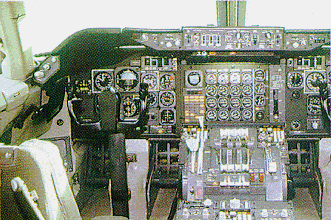
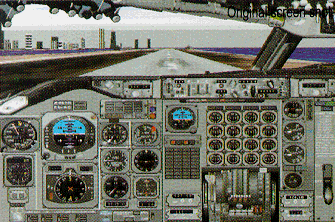
A real cokpit of Boeing 747-300 A Cockpit of add-on software for FS98 "747"
+ Workable with 3D graphic board to realize great improvement of picture
fresh rate.
+ With the Microsoft's Force Feedback Joystick, you can feel vibration
while taxing, resistance of the wind, feeling of the stall while
and you are flying, and resistance of the wind wile you adjust trims.
However, with this joystick, you can not use the rudder system, so the
joysitck would be nice if you enjoy the FS just as a game rather than
a simulator software.
+ You can fly together with your friend's airplane by connecting with his
P/C via internet. (Internet Multi Play)
3. My Add-On Softwares and Accesarries for Flight Simulator
-- For Flight Simulator98 --
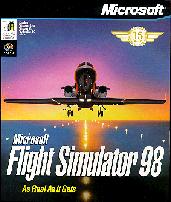
Basic Software(Microsoft)

Add-On Software(DATA BECKER) [Body and Cockpit Pannel of Boeing747]
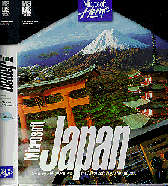
Add-On Software(Microsoft) [All Japan Scenery]

Add-On Software(Twilight Express) [Tokyo Scenery]
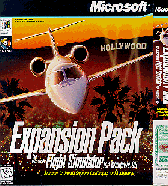
Add-On Software(Microsoft) [South California Detailed Scenery and Adventure]
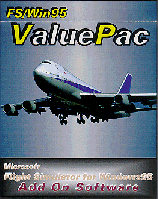
Add-On Software(Twilight [Haneda-Narita Adventure] with Flight calculator, VFR Map of Chicago area and Navigation
Logbook.

Add-On Software(Twilight Express) [Chofu-Kozushima Id. Adventure]

Add-On Software(Twilight Express) [Matsuyama-Itami Adventure]
ANA's 767-300 Body data, Flight Calculator and Flight Map.
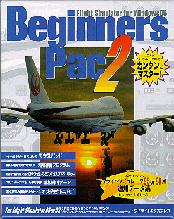
Add-On Software(Twilight Express) [Beginners Pac 2] Narita Approach & Landing Adventure, and ANA Super Marine Jumbo Body data.
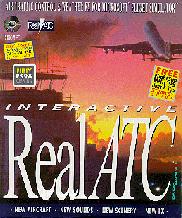
Add-On Software(PAPA TANGO) [Real ATC] 150 ATC Adventures mainly in U.S.A. and British Airways 757-200ER Body data.

Add-On Software(FLIGHT One) [FS Clouds & Texture Pro] Weather Condition, Scenery Expand Software.

Accesary Control Yoke and Throttle (CH Products)
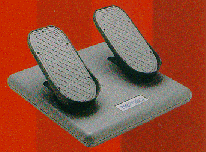
Accesary Rudder Pedal (CH Products)
4. Super Realistic Accesarries for Flight Simulator
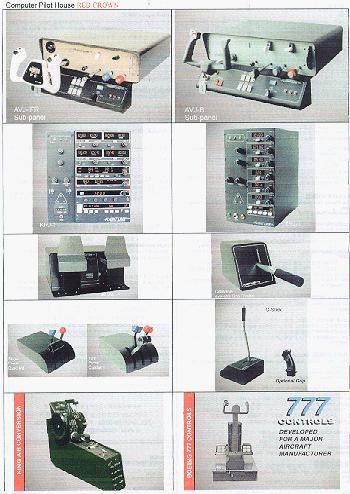
If you want accesarries more and more realistic, you can try U.S.A. made
Control York, Cockpit Panel, Rodder Pedal, Communication Panel, etc.
With these accesarries, you can control simulator by operating switches
and levers of the panels without touching to the keyboard, just like a
real plane. Their price are also outstanding from US$500 to US$6,000!
(in Japan)
 In case you hit this
page directly from a Search Engine, you can reach to all of the pages of MAFNET from Top Page
In case you hit this
page directly from a Search Engine, you can reach to all of the pages of MAFNET from Top Page